Displaced Texan
Premier Member
-
Joined
-
Last visited
Everything posted by Displaced Texan
-
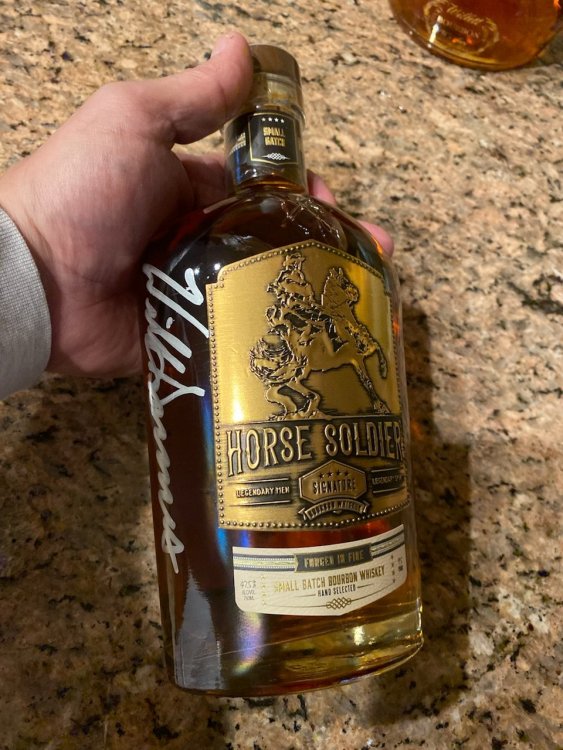
10,000% agree!!!Around here, the deer begin moving around 6am (according to my cameras). They generally lay down around 10, and get back moving around 5pm. That’s summer hours anyway. Fall and winter are a bit different. Nights with a full moon, they seem to stay out late, presumably to party all night. When heavy storms are forecasted, they forage before and after the storm. While I think the article contains good data for that particular region, in my experience, they do different things in different areas.The Trijicon Accupoint is a great choice. Then again, I’m kind of Trijicon’s whore..The Garrison Bros is nice. A little hot, I use a cube of ice in that one to mellow it out. I’ll have to try the Coopers Daughter. I got into my signed bottle of Horse Solider last night. It’s lovely.
Account
Navigation
Search
Configure browser push notifications
Chrome (Android)
- Tap the lock icon next to the address bar.
- Tap Permissions → Notifications.
- Adjust your preference.
Chrome (Desktop)
- Click the padlock icon in the address bar.
- Select Site settings.
- Find Notifications and adjust your preference.
Safari (iOS 16.4+)
- Ensure the site is installed via Add to Home Screen.
- Open Settings App → Notifications.
- Find your app name and adjust your preference.
Safari (macOS)
- Go to Safari → Preferences.
- Click the Websites tab.
- Select Notifications in the sidebar.
- Find this website and adjust your preference.
Edge (Android)
- Tap the lock icon next to the address bar.
- Tap Permissions.
- Find Notifications and adjust your preference.
Edge (Desktop)
- Click the padlock icon in the address bar.
- Click Permissions for this site.
- Find Notifications and adjust your preference.
Firefox (Android)
- Go to Settings → Site permissions.
- Tap Notifications.
- Find this site in the list and adjust your preference.
Firefox (Desktop)
- Open Firefox Settings.
- Search for Notifications.
- Find this site in the list and adjust your preference.