Skip to content
View in the app

A better way to browse. Learn more.

New Jersey Gun Forums

A full-screen app on your home screen with push notifications, badges and more.

To install this app on iOS and iPadOS
  1. Tap the Share icon in Safari
  2. Scroll the menu and tap Add to Home Screen.
  3. Tap Add in the top-right corner.
To install this app on Android
  1. Tap the 3-dot menu (⋮) in the top-right corner of the browser.
  2. Tap Add to Home screen or Install app.
  3. Confirm by tapping Install.
  • Entries

    3
  • Comments

    13
  • Views

    2,455

Entries in this blog

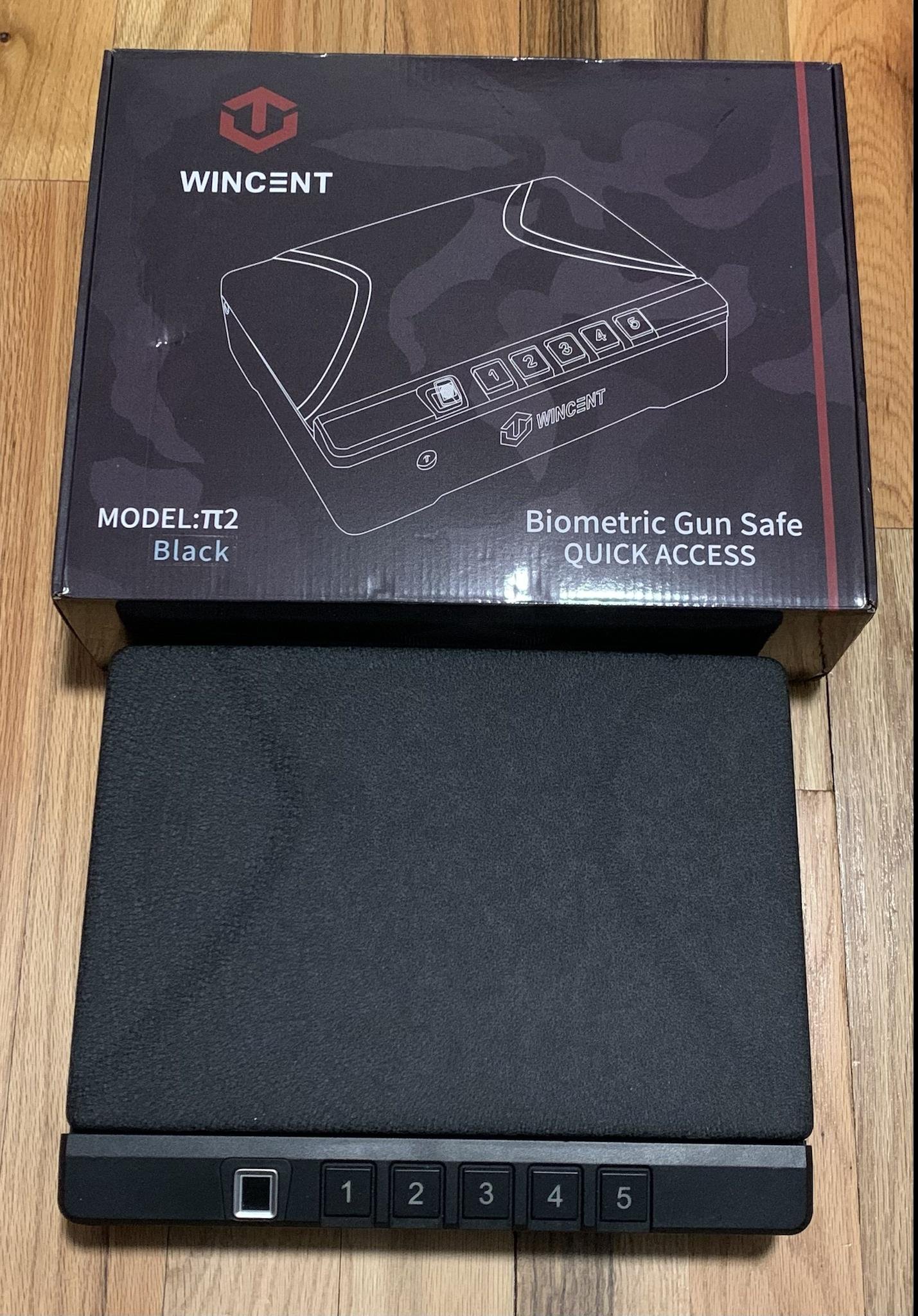
If you’ve ever looked for biometric quick-access gun safe, you’ll know there are many options out there. Each has it’s own pros and cons. I currently use a SentrySafe Quick Access Biometric Pistol Safe QAP1BE as a drawer safe and wanted to test out some more options. I obtained the WINCENT Biometric Gun Safe for Pistols V2.0 to test out and compare. The WINCENT Biometric Gun Safe for Pistols V2.0 is a fairly large quick access biometric safe. There are 3 methods to get in to the safe
There's dry fire training, then there's next level dry fire training! That's where the Mantis Laser Academy and Mantis Blackbeard come in. Dry fire training allows you to practice your firearm handling skills at home. You can practice holster draw/firing/re-holstering, reloading, strong hand firing, weak hand firing, malfunction clearing, and more. When dry fire training at home, you should always remember the fundamental rules of firearm safety, and ensure that there is no live ammunition
I used to say, “I can’t appendix carry because I have a gut.”  After believing this for a few years, and from living in a state where it’s nearly impossible to get a Concealed Carry Permit, I was almost fixated on “small of back” carry. On the few occasions when I could carry (out of state), I always carried in the 4:00 or 5:00 position, primarily for comfort reasons. I recently spoke to several other “heftier” gun owners (including a good friend who calls himself the “largest pound fo

Account

Navigation

Search

Search

Configure browser push notifications

Chrome (Android)
  1. Tap the lock icon next to the address bar.
  2. Tap Permissions → Notifications.
  3. Adjust your preference.
Chrome (Desktop)
  1. Click the padlock icon in the address bar.
  2. Select Site settings.
  3. Find Notifications and adjust your preference.